
VIDA 2014D/2015A Windows 11
-
I installed VIDA, and the installation was successful. I had some problem with Port 40, but I managed to resolve them. I have another problem: my Super J2534 v1.5 device cannot connect to the ECU. When I plug it in, the lights on the instrument cluster start flashing on and off, and error messages appear on the odometer display.
When I entered Devis Connection, I saw that it was a Super J 2534 is working on 36v.
When I entered the diagnostics, this error window appeared.: “Communication error Please connect or test the communication tool.”
Can somebody help me?
Win11 26H
S60 1.6deive 2012 -
Hi, installation was smooth, problem drop after rebooting.
Vida Monitor was not started, I try run manually but I get this message:
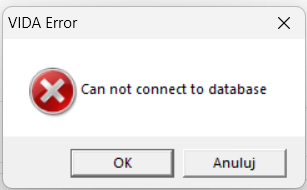
http://localhost/Vida/ - can not connect
SQL server looks fine:

I have Win 11 Pro, 24H2
Any clue?
-
-
Thank you so much ZaanTerror for the Vida software. I'm currently in the process of making a windows to go separate drive to house it, will report back when I finish that!
-
@ZaanTerror Thanks for Your help, works fine !!!
-
@ZaanTerror
Would love to try this version out.
-
@ZaanTerror
Thanks for the link! Easy install and works like a charm. Will try to connect to one of my volvos and se how it performs No problems , just install and a restart -
@ZaanTerror
I found my way here this evening looking for help installing VIDA, would you be kind enough to share the Win11 version please.
brewer76@gmail.com -
@ZaanTerror
Thank you so much for your work on this version of VIDA! It’s by far the best version I’ve tested so far. It runs really well on my computer, and I was even able to use it in my own language, which is a huge plus.I haven’t done much testing yet, and I’m still troubleshooting communication between my MaxiFlash and the car, but my first impressions are excellent. Thanks again!
