
VIDA 2014D/2015A Windows 11
-
@T5-T6-Schnappi It is a clean install on my personal laptop(work and one game). I have Windows 11 25H2
-
@ilonapshe try the following:
press Windows-key+r and enter services.msc
stop all SQL* services
uninstall everthing with SQL in its name via control panel
reboot the computer
manually delete the folders "C:\Program Files (x86)\Microsoft SQL Server" and "C:\Program Files\Microsoft SQL Server"
download the archive again (I send you a link via PM) and unpack it with the latest version of 7-Zip
permanently disable any 3rd party Antivirus/Security software until VIDA is installed -
The program installation issue was resolved. It turns out I needed to reboot the laptop before installing the SQL servers.
But apparently the obstacles aren't over for me. I have a Chinese clone of DiCE that I got with the previous VIDA program, which crashed on Windows 7. And for some reason, I can't run diagnostics on the car. The laptop sees DiCE, but I can't read the car. I installed Scanmatic (it was on the old laptop, and as far as I understand, DiCE used to see cars with it), but it didn't yield any significant results. Now DiCE is simply visible as a Scanmatic device, not "unknown," and in VIDA, I can now select CM2 USB/CM3 USB devices.
Can you tell me how to properly connect and configure the Chinese DiCE so I can start seeing cars? I'm just a girl in the world -
@ilonapshe As it seems, your DICE is a Scanmatic SMII in a DICE shell which is suboptimal in many ways. What car do you try to scan.
Select the CM2/CM3 in VIDA and click on read next to this. You need to log in with the correct market/partner group or your car won't be recognized/decoded.Could you please download and install Vdash and try to connect to your car with that. To see if your adapter is working. It's easier this way than with VIDA.
-
@T5-T6-Schnappi On win7 DiCE worked with CM2, but I dont know how that was installed on laptop or cofigurated. On win7 DiCE worked with v70 P2 2001-2008. Tried to scan that one
-
At first i had the exact same problem than @ilonapshe
My setup is a KVM/QEMU Win11 LTSC IoT Enterprise running on Arch host.
I tried to install the program from spice folder share on host, turns out the folder share doesn't like too big files so my error was there. Couldn't even copy the files from the shared folder to the guest. So i copied the files to USB drive and directed that to the guest, from there the installation was smooth sailing.Then i had the Vida couldn't start error because port 80 was in use. The error message was helpful and i found in the thread that @repeq had posted about stopping and disabling World Wide Web Publishing Service from the windows services.
After that everything seems to work nicely i still need to see how it works with my cheap chinese Dice but maybe i just get the J2354 as it would be better anyways.
Thanks for the great work you have done @ZaanTerror , this truely is the silver bullet to solve all Vida installing problems!
-
Hi Zaan
Cool work you did there!
can i have the download link for VIDA 2014D/2015A on Windows 11.
here is my email address
jpmorganlim@gmail.comthanks pal
-
@ilonapshe First you need to identify what adapter you actually have. DICE, Scanmatic, Mongoose or whatever. There are lots of chinese DICE shells with completely different non-DICE adapter hardware inside that are sold on chinese plattforms.
Connect the adapter to the car first, switch Ignition to POS.II (Ignition on/engine off), then connect the adapter to your computer. Then open device manager and see what is listed under "Vehicle Pass Thru Interfaces" or if there is an "unknown device". You also need to install the correct driver/software version if you have a scanmatic in your DICE shell. SM2 and SM3 use different software versions. SM3 software doesn't work for the SM2 and vice versa. -
Hi Guys, AI helped me to force VIDA to run in WIN11 like did in WIN10 some time ago in my laptop. Works nice...
Below put the instruction/coversation of how to do it.
Final Solution:
Most Windows 11 users switch to a virtual machine (VMware/VirtualBox) with a pre-built Windows 7 image and VIDA installed. This solution is resistant to Windows 11 updates and saves hours of registry wrangling. [1]
After adding the EnableIEHosting value and restarting Edge (in IE mode), did any text appear in the Vehicle Profile section of the communication tool?
Tip: Check if you have .NET Framework 3.5 installed in "Windows Features," as without it, EnableIEHosting won't be able to function. [1, 2] -
20:24
In the case of VIDA 2014D, problems in Windows 11 are most often caused not by Java itself, but by the complete removal of Internet Explorer 11 and changes to system security. [1, 2]
Here's what specifically has been changed and how it affects the program:- No native Internet Explorer
VIDA 2014D was designed exclusively for IE. This browser doesn't physically exist in Windows 11, which prevents scripts and ActiveX components responsible for communicating with the DiCE interface from loading correctly. [1, 2]
• Symptoms: White background upon launch, no Communication Tool selection window, or unresponsive buttons.
• Solution: You must force the http://localhost/Vida/ page to run in Internet Explorer mode within Microsoft Edge. [1, 2, 3, 4] - Certificate and License Expiration (Patch 2017)
The original VIDA 2014D had an expiration date of the end of 2017. If your installation stopped working suddenly and you are using an older patch, scripts will block login due to the system date. [1, 2]
• Solution: Apply a newer version of the patch (the so-called "2099 patch") or manually edit the license file in the C:\VIDA\patch\license folder. [1, 2] - Changes to the JScript and VBScript Engine
Windows 11 has limited support for older scripting engines that VIDA uses to generate the user interface. [1]
• Solution: It is often necessary to manually install .NET Framework 3.5 (via Turn Windows Features On or Off) and ensure that the SQL Server service (the VIDA instance) starts automatically and not with a delay. [1, 2]
How to restore VIDA 2014D functionality on Windows 11? - Configure Edge: Go to Edge Settings > Default Browser, set "Allow sites to reload in Internet Explorer mode" to Allow, and add http://localhost/Vida/ to the list.
- Check Java: Make sure you have Java 7 Update 80 (x64) installed, as newer versions of Java (e.g., 8 or 17) may be incompatible with old Java scripts.
- Fix SQL: If the VIDA Monitor (tray icon) doesn't turn green, change the SQL Server (VIDA) service startup type to "Automatic" in services.msc. [1, 2, 3, 4]
The most stable solution for VIDA 2014D on Windows 11 is to use a pre-built Virtual Machine image with Windows 7, which avoids conflicts with modern Windows 11 security features. [1, 2]
Do you need step-by-step instructions on how to properly add the VIDA address to the IE mode exceptions in Microsoft Edge? [1]
Tip: If you still don't see the communication tool after enabling IE mode, it's worth checking if you have installed the 32-bit DiCE drivers, as Java scripts within IE often require this architecture.
- No native Internet Explorer
-
With my installer it is not neccesary to use a virtual machine.
But i guess your AI does not know better than that.
-
Is it possible to enable old Java scripts so they are available exclusively to VIDA?
21:33
Yes, this can be done without restoring IE11 system-wide, but it requires tricking Windows 11 into providing the missing scripting engines and the appropriate Java environment for the VIDA address.
Here are the steps to enable these features exclusively for VIDA:- Forcing the old JScript engine (Essential for Win 11 24H2)
In the latest versions of Windows 11, the system defaults to the newer, but less powerful, jscript9legacy.dll engine. VIDA requires the full functionality of jscript.dll. You can change this using the registry, which will restore the functionality of the program's buttons and menus: [1] - Open Notepad and paste the following text:
reg
Windows Registry Editor Version 5.00
[HKEY_LOCAL_MACHINE\Software\Policies\Microsoft\Internet Explorer\Main]
"JScriptReplacement"=dword:00000000
Use code with caution. - Save the file as vida_fix.reg and run it (administrator privileges required).
- Restore VBScript as an "On-Demand Feature"
Windows 11 has disabled VBScript by default, which VIDA scripts use to communicate with the database and DiCE. [1, 2]
• Go to Settings > System > Optional Features.
• Click View Features, type VBScript, and install it.
• After installation, restart your computer. [1, 2] - Java Isolation for VIDA
VIDA 2014D works best with Java 7 Update 80 (x64). Instead of installing it globally (which can be dangerous), you can replace the files directly in the program folder: [1] - Install Java 7u80 (found in the VIDA installation folder in JDK7u80).
- Navigate to the C:\Program Files\Java\jdk1.7.0_80 folder and copy its entire contents.
- Paste it into C:\VIDA\jdk, overwriting the existing files there.
- Uninstall Java 7 from the Control Panel – VIDA will now use its own local copy "hidden" in its own folder. [1]
- Configuring "IE Mode" in Edge (localhost only)
For Java and ActiveX scripts to work, you need to configure Edge: [1, 2]
• Open Edge and go to edge://settings/defaultBrowser.
• Set "Allow reloading sites in Internet Explorer mode" to Allow.
• In the "Sites in Internet Explorer mode" section, add: http://localhost/Vida/.
• Important: This list expires every 30 days. To make it permanent, use the free "Enterprise Mode Site List Manager" tool from Microsoft. - License Activation (Patch 2099)
If the scripts load but you can't log in, your time-based license has probably expired (usually until 2017). Run the filldb.cmd file from the C:\VIDA\patch folder, which will update the SQL database and unblock access. [1, 2]
In summary: The most important step for Windows 11 is adding VBScript to the optional features and changing the JScriptReplacement key in the registry, as these are the elements most likely to break after system updates. [1]
After making the registry changes and adding VBScript, did the "Define Vehicle Profile" button start responding?
Suggested next steps: If the VIDA Monitor icon still doesn't turn green, check the status of the SQL Server (VIDA) service on your system.
Unfortunately, the same problem persists. I restarted my computer to make sure the registry was updated.
10:18 PM
If the registry and VBScript didn't help, it means the blocking is occurring at the Windows Script Host permission level or due to missing specific .NET libraries, which are disabled by default in Windows 11. [1, 2]
Here's the last line of defense to unblock VIDA scripts: - Unblock Windows Script Host
The system may physically block the execution of scripts, even if they are installed. - Press Win + R, type regedit, and navigate to:
HKEY_LOCAL_MACHINE\SOFTWARE\Microsoft\Windows Script Host\Settings - Check if the value is Enabled. If so, set it to 1. If it's not present, create a new DWORD (32-bit) value named Enabled and set its value to 1.
- Do the same in the path: HKEY_CURRENT_USER\Software\Microsoft\Windows Script Host\Settings. [1]
- Activating .NET Framework 3.5 (Critical)
VIDA relies on older libraries that support Java-ActiveX communication.
• Open Control Panel > Programs and Features > Turn Windows Features On or Off.
• Make sure the .NET Framework 3.5 (includes .NET 2.0 and 3.0) option is selected (black square or check mark). If not, select it and allow the system to download the files from Windows Update. [1, 2] - The "Dirty" Solution: IE Tab for Edge/Chrome
If the built-in "IE Mode" in Edge fails, the IE Tab extension (available in the Chrome Web Store and Edge Add-ons) is the most effective way to "cheat" scripts. [1, 2] - Install the IE Tab extension.
- In its settings, select IE 7 or IE 8 Standards Mode.
- Open the address http://localhost/Vida/ using the extension icon. This solution bypasses system-wide Java script blocks, creating a completely isolated environment within the browser.
- Checking the SQL Server Status
If the page loads, but you can't click anything in the vehicle profile, make sure the database is running:
• Type services.msc in the Start menu.
• Locate the SQL Server (VIDA) service. It must be running. If not, right-click -> Properties -> Startup Type: Automatic and start it manually. [1]
If the menu buttons still don't respond after these steps, the only fully effective way to install Windows 11 is to install a pre-built Windows 7 Virtual Machine (VM), as the latest Windows 11 security updates (especially 24H2+ versions) gradually remove the remnants of code that the old VIDA relies on. [1, 2]
Is the VIDA Monitor icon in the system tray (next to the clock) green after activating .NET 3.5?
The communication interface window still doesn't work.
22:34
Since the registry change regarding JScriptReplacement didn't work, the problem is most likely a blockage at the .NET Framework level or a specific registry setting called "Wow6432Node," which VIDA uses to display the communication window.
Here's what you need to do to unblock the missing communication interface window (Communication Tool): [1, 2]- Activate IE hosting in the .NET Framework (Key)
This is the most common cause of a "blank" window or no response to selecting the DiCE device. [1, 2] - Open regedit (Registry Editor).
- Navigate to:
HKEY_LOCAL_MACHINE\SOFTWARE\Wow6432Node\Microsoft.NETFramework - Right-click on the .NETFramework folder and select New > DWORD (32-bit) Value. 4. Name it exactly: EnableIEHosting
- Double-click it and set the value to 1.
- Repeat the same process in the path:
HKEY_LOCAL_MACHINE\SOFTWARE\Microsoft.NETFramework (also add EnableIEHosting with a value of 1 here). [1, 2] - Checking Java permissions in IE Mode
Even if you have IE Mode enabled in Edge, Java scripts may be blocked by "Security." [1, 2] - Open Control Panel > Internet Options.
- Go to the Security tab, select the Trusted Sites icon, and click the Sites button.
- Add the address: http://localhost.
- Set the security level slider for "Trusted Sites" to Low.
- Click Custom Level and ensure that the options for ActiveX controls and scripting are set to Enable. [1, 2]
- Force a database refresh (DICE not visible)
If the window is visible but blank (none to select), try resetting the database connection: [1, 2] - Make sure the DiCE device is connected first to the car (so it has power) and then to the laptop's USB port.
- Run C:\VIDA\patch\filldb.cmd as Administrator. This will refresh the database entries that VIDA reads at startup. [1, 2]
Why might this still not work?
If the above steps fail, it means that your version of Windows 11 (probably 24H2) has completely disabled access to the jscript.dll engine in favor of jscript9legacy.dll, which does not support the old COM communication methods used by VIDA. [1, 2]
Final Solution:
After adding the EnableIEHosting value and restarting Edge (in IE mode), did any text appear in the Vehicle Profile section of the communication tool field?
Tip: Check that you have .NET Framework 3.5 installed in "Windows Features," as without it, EnableIEHosting won't be able to function. [1, 2]
It's worth remembering that the list of websites in IE mode in Edge expires by default after 30 days. If the buttons stop responding again in a month, simply add the http://localhost/Vida/ address back to Edge settings.
- Forcing the old JScript engine (Essential for Win 11 24H2)
-
@ZaanTerror with that virtual machine was copy paste mistake... it was one of most recomended way out;
I put all conversation to word file, but I don't need to make it shiny... -
Why would you do all this work with the risk of corrupting youre Windows Registery and having to install Windows again when my installer will have it up and running with a few clicks and max. 30 minutes of time.

-
Hey.
I don't know what's wrong, but my VIDA has completely stopped reading cars (not a single one, including the one I tested).
The situation is that after I checked whether VIDA was working and whether it was reading the car (a 2002 Volvo V70 P2), I turned off the laptop and simply put it on charge. The next day, my husband went to try diagnosing another car (a 2006 XC70 P2), and VIDA returned a reading error and automatically reloaded the page, after which the option to select a communication tool disappeared completely. We tried installing the program on the laptop, which had never had VIDA before. We installed VIDA and copied the necessary Scanmatic drivers from the old laptop (they're from 2011, so it should be CM2), but VIDA still refuses to read any of the above-mentioned cars. I also reinstalled the program on my laptop, but it didn't help.
Any ideas on how to solve this problem? -
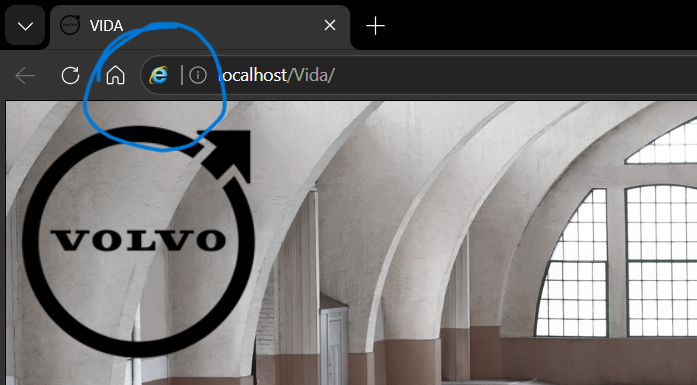
@ilonapshe No selection of the diag tool usually means you are not running VIDA in Internet Explorer or Edge with IE Mode.
Do see the IE logo when VIDA is open?
-
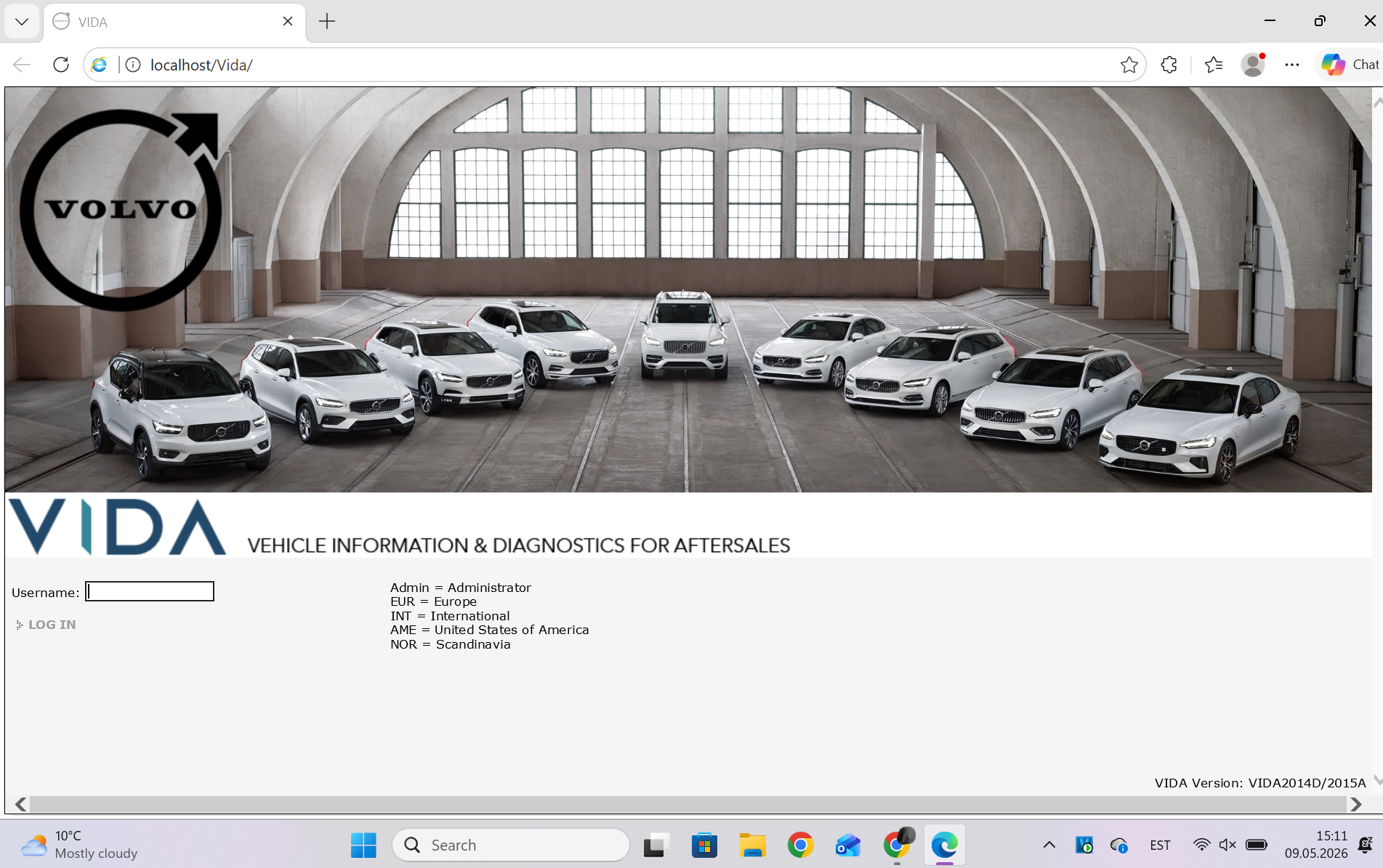
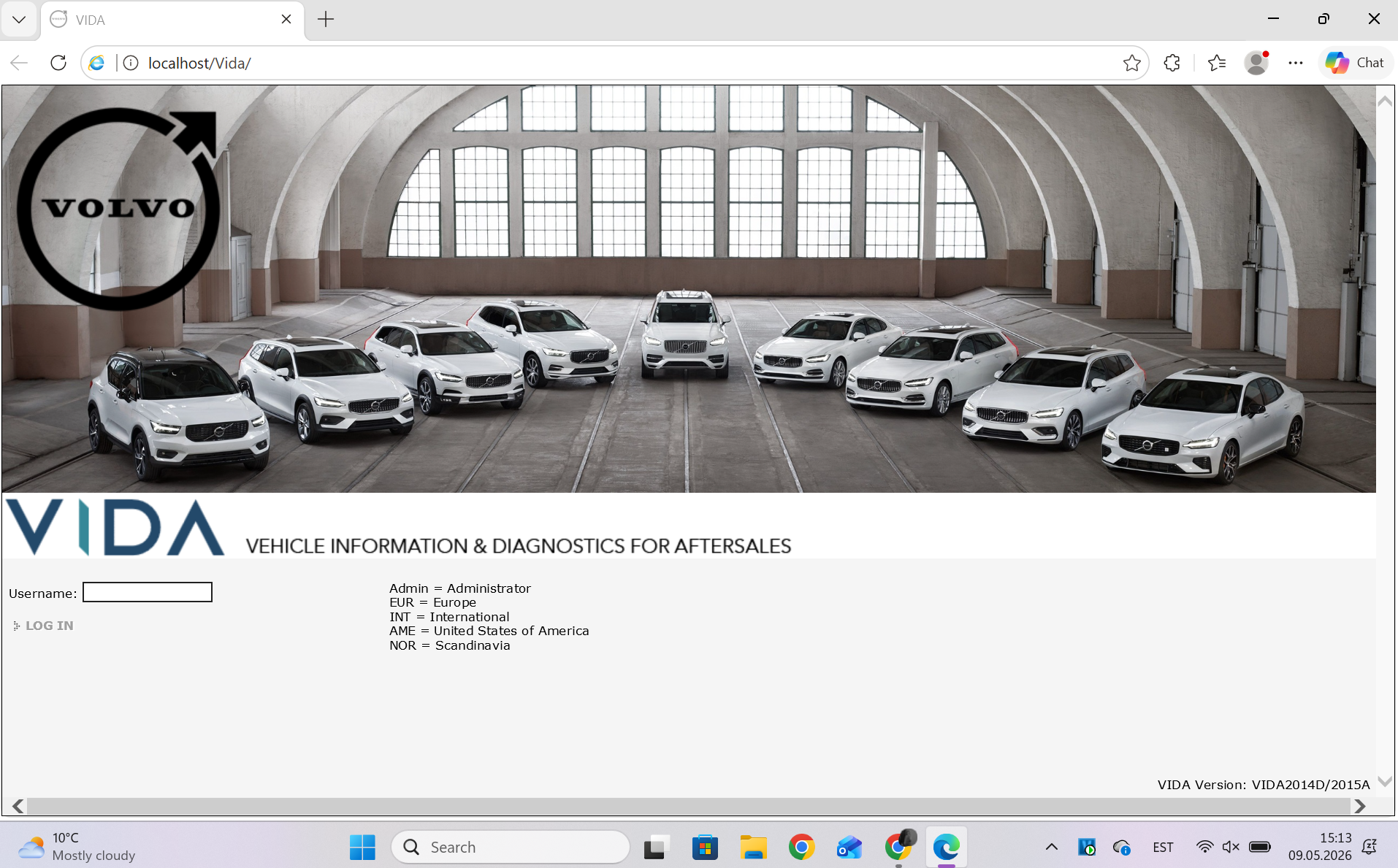
@T5-T6-Schnappi Yes, it doesn’t matter, if I go into VIDA through IE, Edge with mode or through VIDA monitor. Got screenshots from all 3.
IE: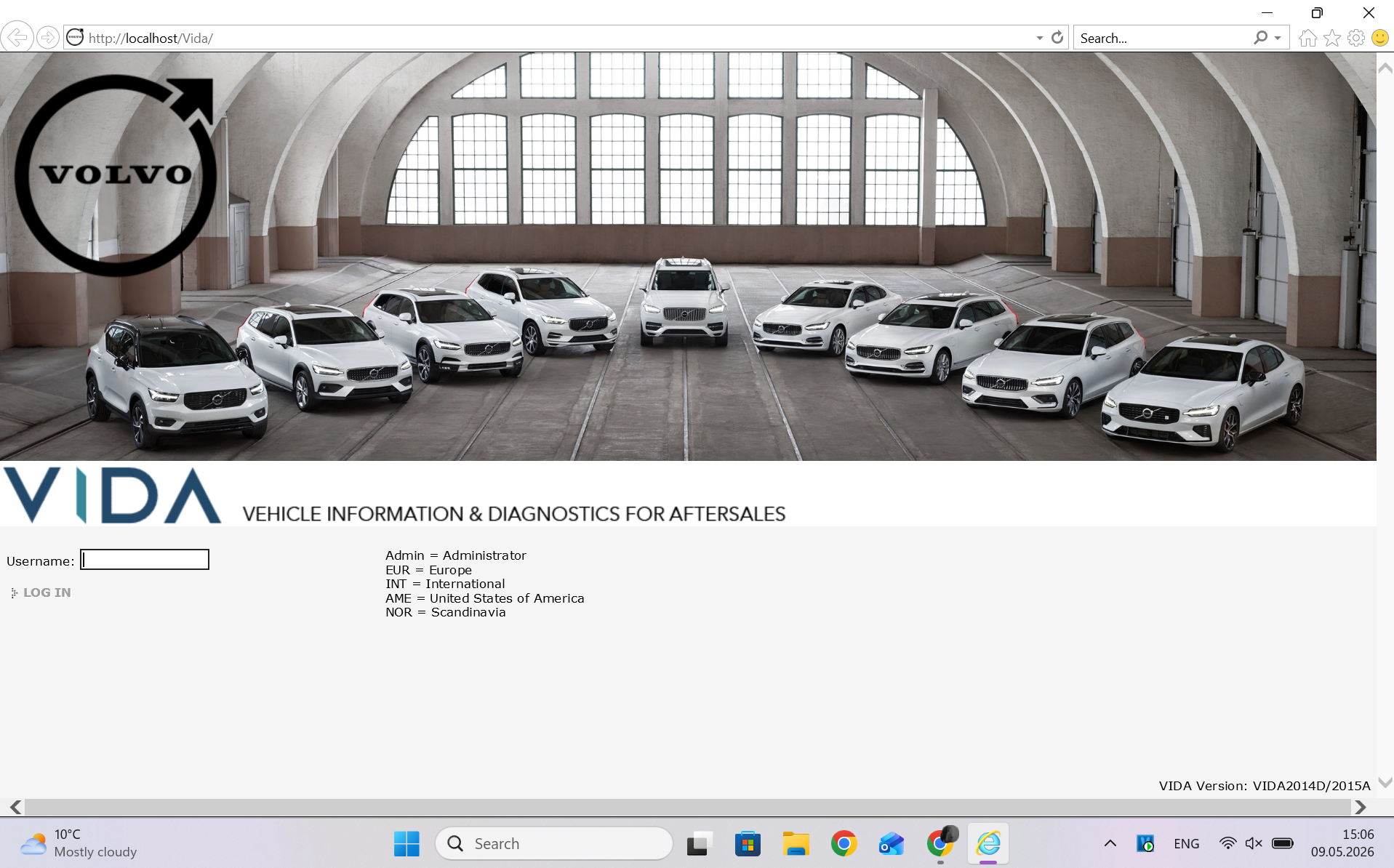
Edge with mode:
VIDA monitor at the bottom on the panel:
-
-
@T5-T6-Schnappi okay, thanks. Gonna see what i can do