-
Hi, I tried to replace a 2011 Volvo XC 60 ICM with one of the dismantling. I paid for the cloning operation but it doesn't work, it stays off. The original one works but it's the broken display. Do you have any idea what to do?
-
@Remusrahau Did you disable ITP? Any DTCs? Is the ICM shown in green, yellow or red when you connect Vdash?
-
I don't know how to cancel ITP.
-
ICM shown in red.
-
@T5-T6-Schnappi I managed to bring the one in the dismantling to its original state and now it is in green
-
@Remusrahau to install used or new components of the Infotainment you first have to disable ITP (Infotainment Theft Protection). You can do this with Vdash after decoding the CEM pin, IMMO pin and ITP security PIN. Or if you have access to VIDA online you can simply download and install software with the part number 31268617(ITP off).
With ITP disabled you can install used modules without having to clone or program them as long as you keep ITP disabled. They should work as long they come from a donor car with similar configuration and modelyear than yours.
Or you can install new modules and clone software to them or program them with VIDA online.
ITP uses a VIN specific security pin which is programmed to all modules of the Infotainment and the CEM, and is send to the CEM everytime you turn on the ignition from every single module. If one or more modules sends the wrong or no pin, the whole Infotainment gets shut down immediately. This is why your new ICM doesn't turn on. Wrong ITP pin. -
Thanks for the answer, I understand now.
-
@T5-T6-Schnappi I decoded the pin but I can't find where to disable ITM. Can you help me?
-
@Remusrahau if you haven't bought the config or ultimate flat, you will first need to add credits(22EUR) to your account via the money button in the top right corner.
I recommend to connect a charger to your battery.
After connecting your car and waiting for all modules to load click on Security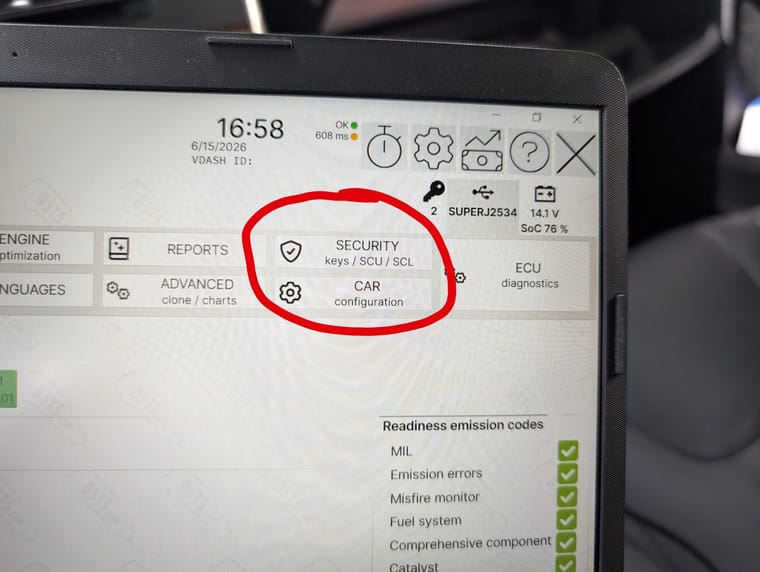
Click on Audio
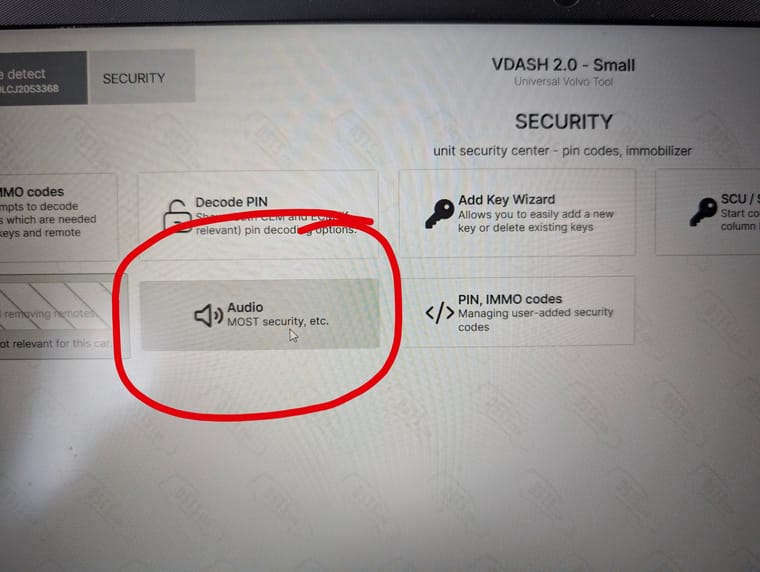
Click on Remove MOST security
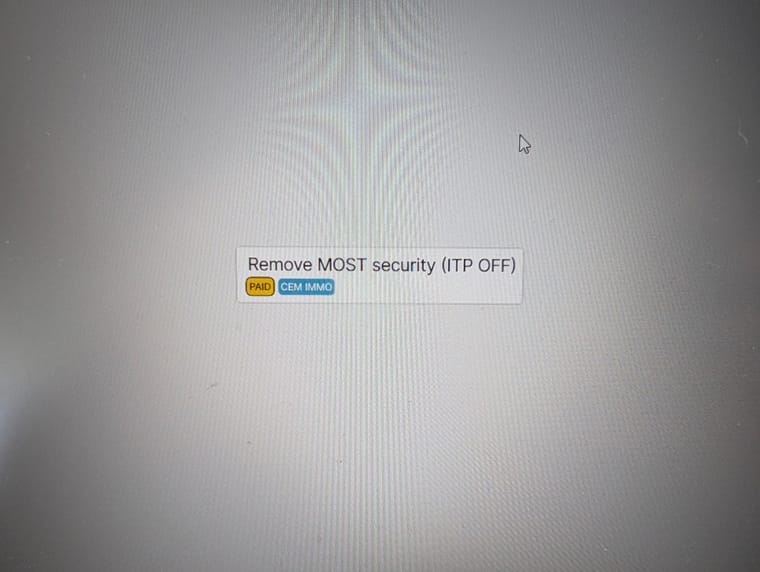
Click on Execute command
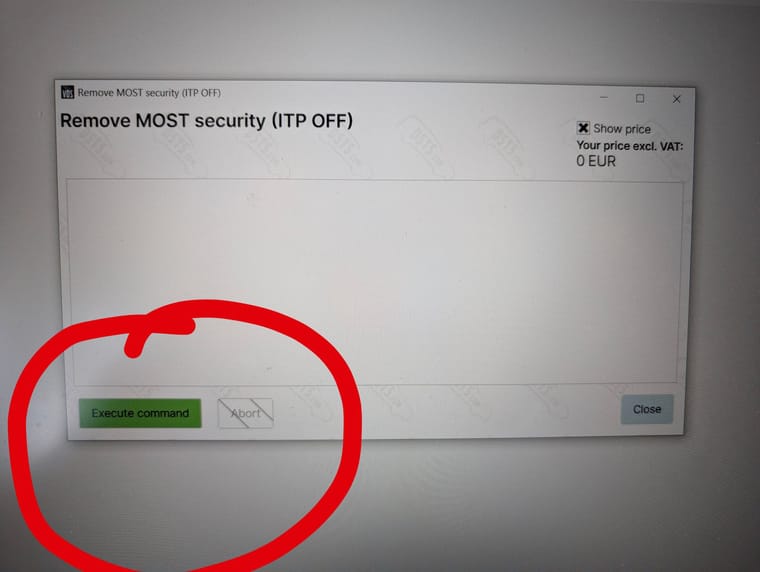
After the process has finished, shut off the car, lock it and leave it alone for at least 15 minutes.
ITP should be off now.


