
@T5-T6-Schnappi Thank you. I followed your advice, uninstalled the Chinese version, and reinstalled the English version. Everything is now working fine, and I can access all the vehicle maintenance information. However, as a user in a Chinese-speaking region, I do find it a bit difficult to read these English maintenance manuals at the moment. But this is already good enough, and I can use translation software to read them.
V
David Monn - CN
@V40
Posts
-
VIDA 2014D/2015A Windows 11 -
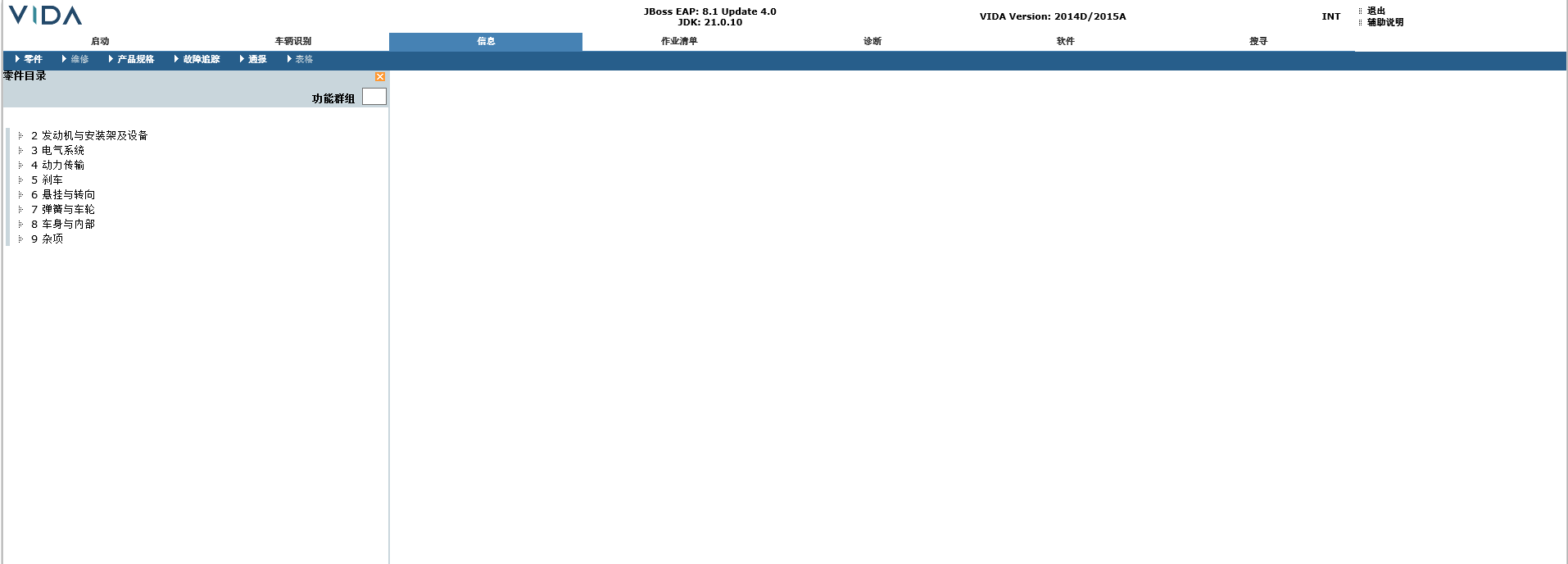
VIDA 2014D/2015A Windows 11I have received my Mongoose data cable. After connecting it to the vehicle and VIDA, sure enough, it could not recognise the vehicle. However, it was able to read the vehicle's VIN code correctly, but it did not provide the correct options for selecting the vehicle's model year and engine type. So I manually selected a 2016 model year vehicle that is most similar to mine, and it was able to read the vehicle information and configuration correctly, as well as read the fault codes. However, I am not sure where I can view the vehicle repair and installation instructions. I have installed the Chinese version, and as shown in the picture, my "Repair" option is greyed out and cannot be clicked. Please help me.
-
VIDA 2014D/2015A Windows 11Thank you for sharing the software. I have successfully installed it on my laptop running Windows 11 25H3. However, the Mongoose cable I purchased has not arrived yet. My engine is the B4154T4, and I'm concerned that there might be issues when I try to connect it later.
-
VIDA 2014D/2015A Windows 11Thank you very much for sharing!
