V50 P1 - Language change + key reprogramming without original key codes
-
Hello,
I recently purchased a 2006 Volvo V50 2.0D (P1 platform) imported from Germany, and I have two issues I'd like to resolve using VDASH.
-
Language change: The dashboard and infotainment are in German. I understand this requires a DIM/ICM software reload, and I know that VDASH + Super J2534 can handle this. I plan to order the Super J2534 cable from your shop.
-
Key issue: The car came with two keys. One works perfectly (central locking + engine start). The second key only works for central locking but does NOT start the engine — the dashboard shows "Schlüsselfehler - Erneut versuchen" (Key error - Try again) when I insert it.
I do NOT have the original packaging or the key codes for the second key. The Volvo dealer told me they cannot program the key without these codes.
My question: Is VDASH able to reprogram the transponder of my second key without the original key codes? I understand VDASH can calculate the IMMO code from the CEM via OBD on P1 platform — would this be enough to fix the key?
-
-
@aiveo the language change is no problem with vdash. This doesn't require any pin code, just a good quality adapter like the Super J2534 and a good power supply/charger.
As for your key problem. You will need the IMMO pin to program a key . And you need to read out the car for how many keys are paired with the immobilizer and if there are any IMMO DTCs. Pairing your not working key again should be possible without the code card. The security codes are only for the fob part of the key. The big problem here is, that the ID48 chip (Transponder) https://d5t5.com/eshop/detail/241/id48-immobilizer-chip-for-p2-and-p1 in that key could be damaged, so the fob still works for locking/unlocking, but the immobilizer doesn't recognize the key to start the car anymore. Another problem with your car is general immobilizer problems. The 2.0 D is infamous for loss/corruption of immobilizer data. Vdash is able to fix this.
General tip for all V50s, especially with your engine, always keep an close eye on the battery. Low voltage conditions will bring you really big trouble on these cars.
-
Thank you for the detailed answer! I'll order the Super J2534 cable to start with the language change. For the key issue, I'll diagnose it once I have the cable and see what VDASH shows regarding the IMMO data. I'll also keep a close eye on the battery as advised. Thanks again!
-
Hi everyone,
Quick update: I received the Super J2534 cable and successfully changed the language to French. Thanks for the help!
Now I have two remaining questions:
-
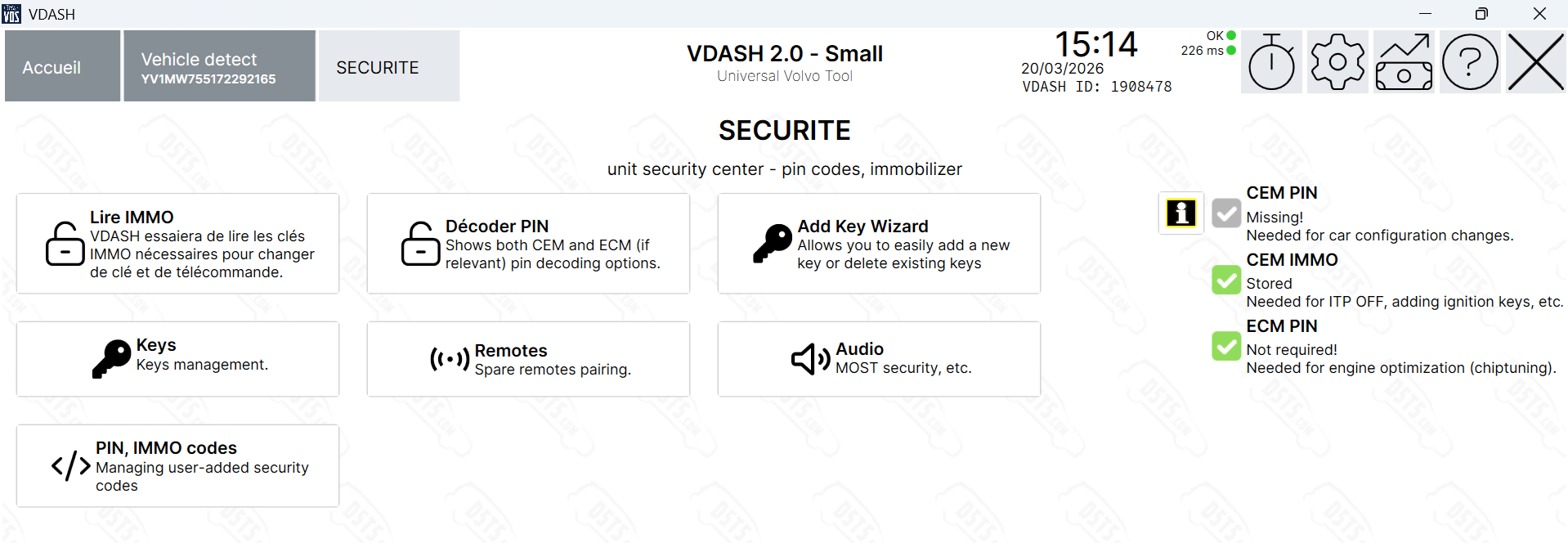
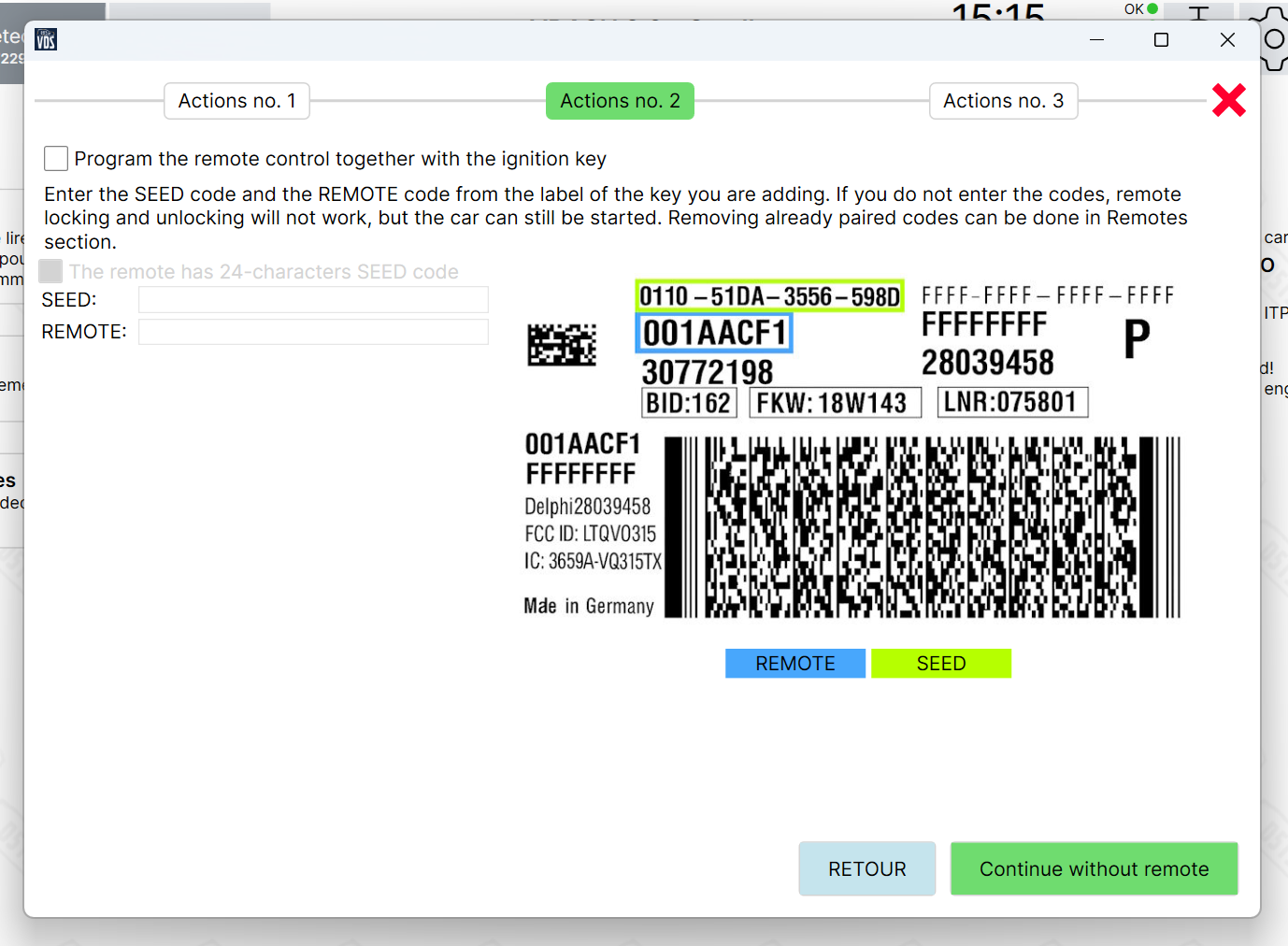
Key programming: I'm not sure what the correct procedure is. Should I first decode the CEM (screenshot 1)? Or should I go directly to the key adding utility (screenshot 2)? Also, since the remote (central locking) already works on this key, will using the key adding utility remove that pairing or will it be kept?
-
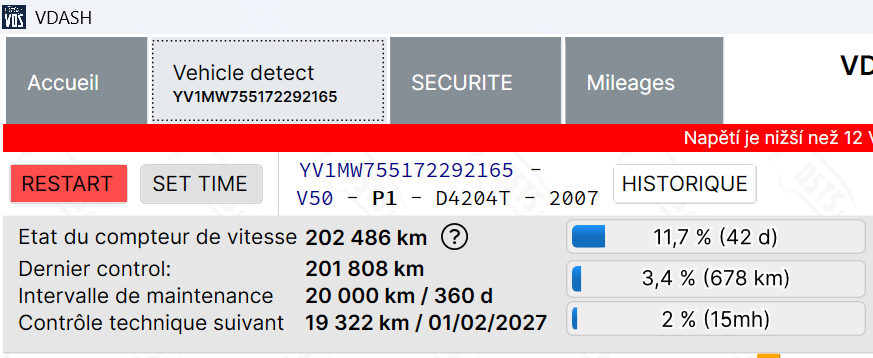
Service message: I have a 'Engine service required' warning message on the dashboard at startup. However, in VDASH the last service was recorded only 500km ago (screenshot 3). Is this something I can reset via VDASH?
Thanks in advance!
-
-
@aiveo to code a new ignition key you first have to decode the IMMO pin. This
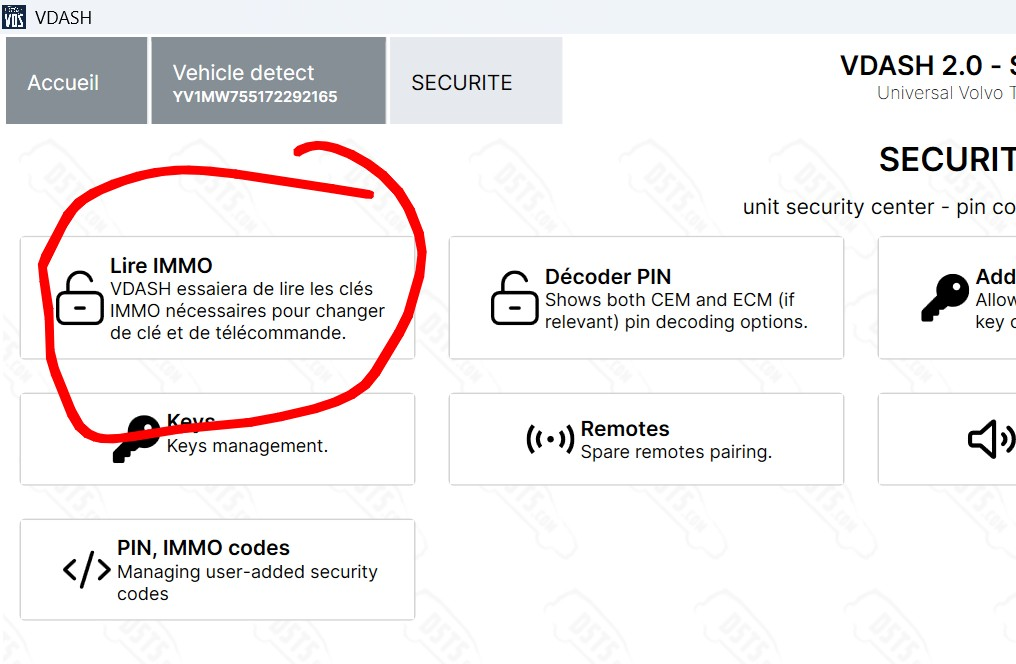 should be the option, if my translator is correct. After that you can add new keys. The key wizard allows to just add the key without having to pair the remote part. Vdash should also show you how many keys and remotes are currently paired with your car.
"Engine service required" means there is one or more active error codes (DTCs) stored in the engine control module (ECM). You should see them after connecting Vdash and wait for all ecus to load. Best practice is to make a screenshot of all codes shown and clear them (ignition pos. II, ignition on, engine not running!). After that turn off the ignition for a moment, than start the car and rev around 1500 RPM for a moment, than read codes again and see what codes came back.
-
Thank you for the detailed answer!
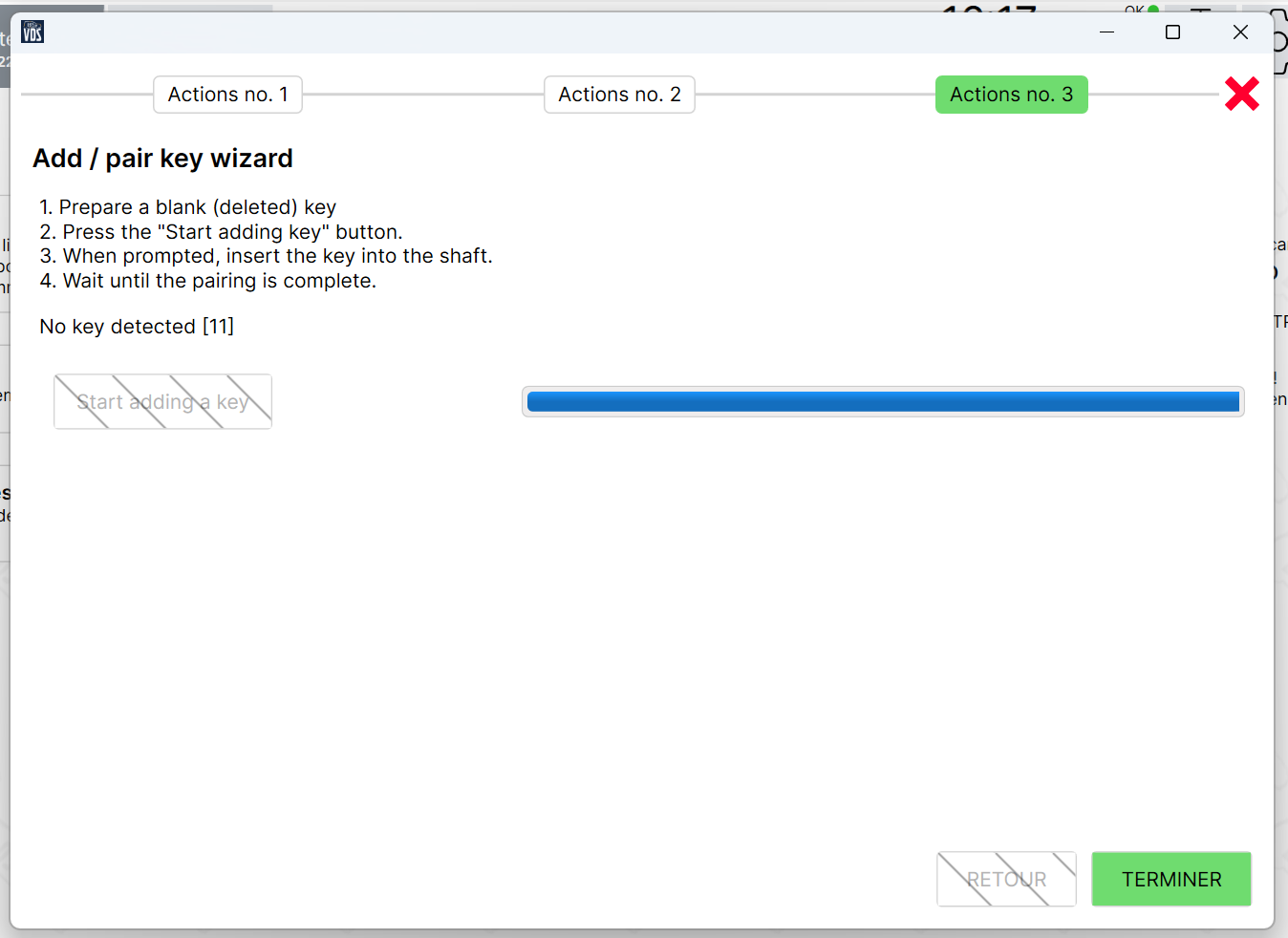
I decoded the IMMO pin and used the key wizard. At step 3 (Actions no. 3), when inserting the faulty key into the ignition, I get 'No key detected [11]'. I suppose this confirms that the ID48 transponder chip in the faulty key is dead. I already ordered the replacement ID48 chip from your shop, so I'll swap it and try again.
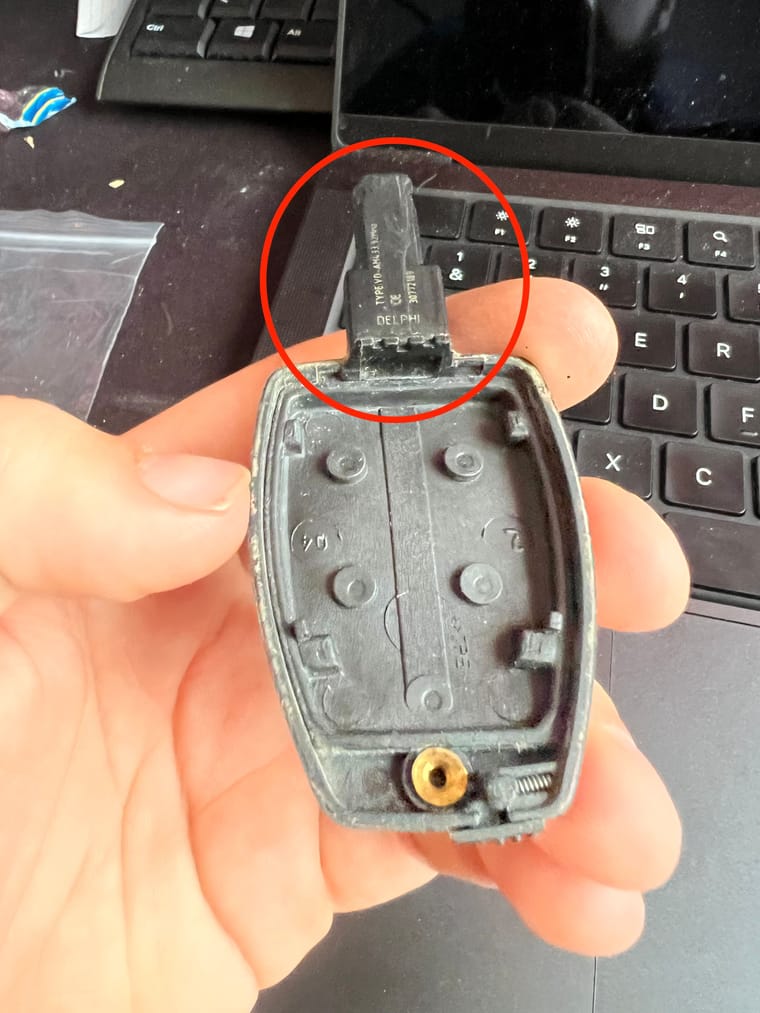
However I'm not sure how to physically replace the ID48 chip in the key. Do you have any guide or tips on how to do this? Is it in ths part of the key ? I can't find a solution to open this part of the key.
For the engine codes I'll follow your procedure and report back.
-
@aiveo https://youtu.be/JeP1lWSfAdA?is=YTg6CEC980bYtC5_ here is a video how to do it
-
@aiveo another option would be to drill a hole from the front, remove the old transponder, and glue in the new one.
The original key seems to be not meant for a transponder exchange, so Volvo can make more money with selling a complete new keyfob plus coding.
-
-
@Mustapha the software https://d5t5.com/sw/vdash.exe
The adapter https://d5t5.com/eshop/detail/180/super-j2534-volvo-dice-9513000-replacement
You will also need a powerfull charger and lots of patience as you first have to crack the CEM pin, which can take up to 24 hours, sometimes even up to 180 hours.
On what car do you want to change the language? -
-
@Mustapha You need to attach a charger to the battery while decoding the CEM and also while coding/programming the car. The charger needs to be able to maintain a constant load of 8-10 Ampere for hours. This means you need a charger with at least twice the peak power (16-20A) of that. I'm using a CTEK PRO25S for example. Stay away from noname brands.
-
@Mustapha You won't need to decode the CEM, if you just want to change the language in the dash and radio. This can be done by Vdash without cracking. Simply connect the car, click on the language menu in the top right corner and follow the instructions. You might want to look here https://d5t5.com/partners for a vdash partner near you, that can do this for you.
-
Bonjour , je suis vraiment ravi d'échanger et que vous m'aider à avancer .
Donc pour le volume du radar de recul j'ai tenté mais ça ne changeait rien de mémoire .Pour le changement de langue j'ai vu après votre lien pour des personnes proche de chez moi. J'attends leur retour .
Cependant vous me dites que que je peux changer moi même la langue sans piratage . Donc avec un câble que je peux avoir sur le net ?
Salutations et merci encore de votre aide